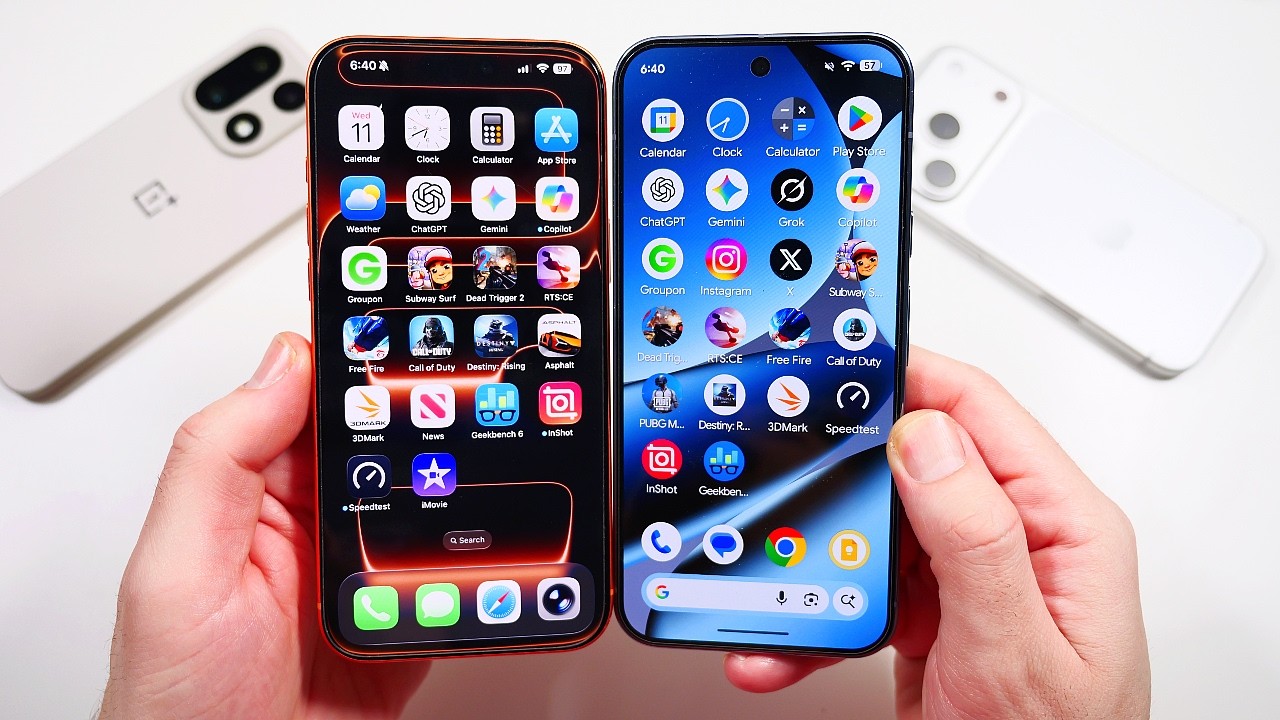
The iPhone vs Android debate has been going on for years, but choosing between the two platforms in 2026 is more complicated than simply asking which one is better. Both sides now offer powerful processors, excellent cameras, high-refresh-rate displays, advanced AI features, long software support, and premium designs.
Apple's latest iPhone 18 Pro Max uses the A20 Pro chip, a new variable-aperture 48MP Fusion Main camera, Apple's first in-house C2 modem, and iOS 27 with Apple Intelligence and Siri AI. Android, meanwhile, covers a much wider range of smartphones. Samsung's Galaxy S26 Ultra uses the Snapdragon 8 Elite Gen 5 for Galaxy and offers a 200MP main camera, multiple telephoto cameras, Galaxy AI, and an S Pen. Google's Pixel 11 Pro XL takes another approach with Tensor G6, Gemini features, a 6.8-inch LTPO OLED display, a 5,115mAh battery, and seven years of OS, security, and Pixel Drop updates.
So which platform should you choose? The answer depends on what matters most to you. If you care about Apple's ecosystem, long-term iOS support, and the way Apple integrates its hardware and software, an iPhone may fit your needs. If you want more phone choices, customization, different price points, larger batteries, faster charging, or specialized devices such as gaming phones and foldables, Android gives you more options. Let's break down the major differences.
iPhone vs Android at a Glance
| Feature | iPhone | Android |
|---|---|---|
| Operating system | iOS 27 | Android 16 (varies by manufacturer) |
| Hardware choices | Apple-only | Many manufacturers |
| Flagship performance | A20 Pro | Snapdragon, Dimensity and Tensor |
| Customization | More controlled | Highly customizable |
| Budget choices | Limited | Very wide range |
| Gaming phones | No dedicated gaming line | Many dedicated gaming phones |
| Foldables | Limited compared with Android | Many options |
| Charging speeds | Improving | Often much faster |
| Battery sizes | Generally smaller | Often much larger |
| AI | Apple Intelligence and Siri AI | Gemini, Galaxy AI and manufacturer AI |
| Camera choices | Consistent iPhone system | Huge range of camera hardware |
| Ecosystem | Highly integrated | More open and varied |
| Desktop features | Limited | Some Android phones support desktop modes |
| Software support | Long-term | Increasingly long on major brands |
iPhone vs Android: The Main Difference
Before comparing individual features, it helps to understand the biggest difference between the two platforms. Apple makes the iPhone, designs its own processors, develops iOS, and controls many of the services around the device. Android is an operating system used by many companies: Samsung, Google, OnePlus, Xiaomi, vivo, OPPO, Motorola, HONOR, Nothing, POCO, and other manufacturers all build different phones around Android.
This creates two very different markets. Apple offers a smaller number of models with a relatively consistent experience, while Android offers hundreds of devices with different processors, displays, cameras, batteries, charging systems, and designs. That means Android gives you more choice, while Apple gives you a more tightly controlled hardware and software environment. Neither approach is automatically right for everyone.
iPhone vs Android for Performance
Performance is no longer a simple case of one platform being dramatically faster than the other; modern flagship phones on both platforms are extremely powerful. The iPhone 18 Pro and iPhone 18 Pro Max use Apple's A20 Pro chip, which Apple says works together with a redesigned vapor chamber to provide higher sustained performance, including during demanding AI workloads.
On Android, flagship phones such as the Galaxy S26 Ultra use the Snapdragon 8 Elite Gen 5 for Galaxy, with Samsung listing configurations up to 16GB of RAM and 1TB of storage. Google takes a different approach with Tensor G6 in the Pixel 11 series, putting considerable emphasis on AI and Google's software features rather than chasing raw benchmark numbers.
Why iPhone performance is different
Apple controls the processor and operating system together. The A20 Pro is designed specifically for the current iPhone generation, and iOS is built around Apple's hardware, letting Apple optimize performance without competing against the enormous range of Android hardware configurations.
Why Android performance is different
Android gives you more choices. You can pick a phone based on raw gaming performance, AI processing, battery efficiency, cooling, RAM, storage, or price. A dedicated gaming phone may have an active cooling fan and shoulder triggers, while a mainstream Android flagship may focus more heavily on cameras and productivity.
The important point: don't compare iPhone and Android performance using processor names alone. The individual phone, cooling system, software, and workload all matter.
iPhone vs Android for Gaming
Mobile gaming has become one of the most demanding smartphone workloads. Games such as PUBG Mobile, Call of Duty Mobile, Genshin Impact, and Wuthering Waves can put heavy pressure on the CPU, GPU, memory, and cooling system. Both iPhone and Android can provide excellent gaming performance, but Android gives gamers more specialized hardware, including shoulder triggers, active cooling fans, large vapor chambers, bypass charging, 144Hz or higher displays, very high touch sampling rates, gaming-specific software, large batteries, and headphone jacks on some models.
Apple doesn't currently offer a dedicated gaming-phone category with these features. The iPhone 18 Pro Max instead focuses on general flagship performance, with its A20 Pro chip and vapor-chamber cooling designed for demanding workloads, and its 120Hz ProMotion display providing a smooth experience. See our full best gaming phones of 2026 guide for the dedicated Android options mentioned here.
iPhone makes sense for gamers who want:
- Powerful performance in a normal flagship
- High-quality mobile games with strong graphics performance
- Good game optimization
- A phone that's also excellent for everyday use
Android gives you more options if you want:
- Dedicated gaming hardware and shoulder triggers
- Active cooling systems
- Extremely high refresh rates
- Large batteries and gaming-focused software
If gaming is one of the main reasons you're buying a phone, Android's wider hardware selection is an important factor.
iPhone vs Android for Camera Quality
Camera quality is one of the hardest areas to compare because Android is not one phone; different manufacturers use very different camera strategies. Samsung uses high-resolution sensors and multiple zoom cameras, Google focuses heavily on computational photography, and other manufacturers use large sensors, fast lenses, advanced portrait systems, or extremely fast image processing.
Apple takes a more controlled approach. The iPhone 18 Pro Max has a 48MP Fusion Main camera with variable aperture, a 48MP Fusion Ultra Wide, and a 48MP Fusion Telephoto system, with new Pro controls for photography. See our iPhone 18 Pro Max specs and price coverage for the full breakdown. Samsung's Galaxy S26 Ultra has a 200MP main camera, 50MP ultra-wide, 50MP 5x telephoto, and 10MP 3x telephoto camera, supporting up to 100x digital zoom. Google's Pixel 11 Pro XL has a 50MP main camera, 48MP ultra-wide, and 48MP 5x telephoto camera, with AI-assisted Pro Zoom reaching up to 120x; our Pixel 11 series review covers the full lineup in more detail.
iPhone camera strengths
- Strong video recording and excellent stabilization
- Consistent image processing across lenses
- Strong integration between hardware and software
- Advanced Pro video features
Android camera strengths
- More camera hardware choices and higher-resolution sensors
- More zoom options on some models
- More manual controls on many phones
- Strong computational photography and different photography styles by manufacturer
The right choice depends on the type of photography you do.
iPhone vs Android for Video
Video is another area where the iPhone remains highly competitive. Apple's Pro iPhones support advanced video features including Dolby Vision, ProRes, Apple Log 2, and professional camera controls, with the iPhone 18 Pro models adding more control around the variable-aperture main camera. Android phones have also improved significantly; Samsung's Galaxy S26 Ultra can record 8K at 30fps and 4K at up to 120fps in Pro Video mode. For anyone recording YouTube videos, TikTok content, Instagram videos, or other social content directly from their phone, both platforms provide capable options, though the specific phone matters more than the operating system.
iPhone vs Android for Battery Life
Battery life is another area where you need to look at individual models rather than the platform. Android manufacturers can use very large batteries: the Galaxy S26 Ultra has a 5,000mAh battery, while the Pixel 11 Pro XL has a typical 5,115mAh battery. The iPhone 18 Pro Max doesn't compete by advertising a huge battery capacity, instead focusing on efficiency, chip design, and system optimization, and Apple says it delivers its best-ever battery life on a Pro model. For a deeper look at how these numbers actually play out, see our best battery life smartphones guide.
This is an important lesson: battery capacity and battery life are not the same thing. A phone with a larger battery doesn't automatically last longer; processor efficiency, display technology, refresh rate, software, network conditions, and the type of apps you use all affect battery life.
iPhone vs Android for Charging Speed
Charging is one area where Android offers more variety. Many Android manufacturers have invested heavily in fast charging, with some phones offering wired charging at 80W, 100W, or higher. Apple has increased iPhone charging speeds with the iPhone 18 Pro generation, but its charging strategy remains different from the highest-wattage Android phones, and Apple also supports MagSafe wireless charging. If you regularly need to charge your phone quickly before leaving home, charging speed can be an important part of the decision, and Android gives you more choices here.
iPhone vs Android for Software Updates
Software support has changed considerably. Apple has historically provided long-term iOS updates across supported iPhone models, and because Apple controls both the hardware and operating system, updates can be distributed directly to supported iPhones, our iOS 27 feature guide covers exactly what's new this cycle and which iPhones qualify.
Android is more complicated because different manufacturers control their own update schedules, but leading Android manufacturers now offer much longer support periods. Google says the Pixel 11 series receives seven years of OS, security, and Pixel Drop updates, meaning the old idea that Android phones automatically have short software support is no longer accurate. The exact support period still depends on the manufacturer and model, so when buying Android, check the manufacturer's official update policy for that specific phone.
iPhone vs Android for Customization
This is one of the clearest differences between the platforms. Android has traditionally offered more customization, letting you change launchers, widgets, icons, default apps, and other parts of the interface. Android 16 continues this approach with features such as custom icon shapes, expanded dark-theme options, and other interface controls, and also introduces desktop windowing for supported larger-screen devices, allowing multiple windows to be moved and resized. iOS has become more customizable over the years, but Apple still controls the overall interface more tightly.
Android is useful for people who want:
- More home-screen control and custom launchers
- Flexible widgets and more default-app options
- Advanced multitasking and desktop-style features on supported devices
iPhone is useful for people who prefer:
- A more controlled interface and consistent design
- Simple device setup and tight hardware/software integration
- Apple's ecosystem
iPhone vs Android for AI
Artificial intelligence has become a major smartphone feature in 2026. Apple's latest iPhones use Apple Intelligence and the new Siri AI experience, which Apple describes as a more personal and conversational assistant integrated into the iPhone. Android's AI experience is more varied: Google integrates Gemini into Pixel phones, Samsung uses Galaxy AI, and other manufacturers provide their own AI features. Google's Pixel 11 series uses Tensor G6 and is designed around Gemini, with Google saying the chip runs the latest Gemini Nano model.
This creates an important distinction: with iPhone, Apple's AI experience is designed around Apple's ecosystem, while with Android, AI can vary considerably depending on the manufacturer. So don't simply ask whether iPhone or Android has better AI; ask which AI features you actually need.
iPhone vs Android for Privacy and Security
Both platforms have invested heavily in security. Apple emphasizes privacy as part of its platform design and gives users controls over permissions, tracking, and data access. Android also provides extensive security and privacy tools; Android 16 includes features such as Identity Check, which requires biometric confirmation for sensitive actions when you're away from trusted locations, and Advanced Protection, which bundles multiple safeguards against online attacks, harmful apps, unsafe websites, and scam calls into a single toggle. Google's Pixel 11 series also uses several layers of hardware security, including the Titan M3 security chip.
Security isn't determined only by the operating system, though. Keeping the phone updated, using strong account security, and avoiding suspicious applications and links are also important, no matter which platform you choose.
iPhone vs Android for Ecosystem
The ecosystem can have a major effect on your decision. If you already own a MacBook, iPad, Apple Watch, and AirPods, an iPhone can fit naturally into that setup, since Apple's ecosystem is built around services and features that let its devices work together. Android has a more varied ecosystem: a Samsung user can connect a Galaxy phone with Galaxy Buds, Galaxy Watch, Galaxy tablets, and Windows PCs, while Google also connects Android with services such as Google Photos, Gmail, Chrome, Drive, and Gemini. Android's openness also means you aren't locked into one manufacturer's accessories; you can mix devices from different companies. So before buying a new phone, consider the devices you already own.
iPhone vs Android for Price
Price is one of Android's biggest advantages. Apple's smartphone lineup is concentrated around a smaller number of models, while Android covers almost every price category, from budget Android phones and affordable 5G phones to mid-range smartphones, camera phones, gaming phones, foldables, premium flagships, and ultra-premium phones. This makes Android easier to fit into different budgets.
However, the purchase price isn't the only cost to consider. Look at storage, accessories, software support, battery replacement, repair costs, trade-in value, and how long you plan to keep the phone. A more expensive phone that you keep for many years can have a different overall cost from a cheaper phone that you replace quickly.
iPhone vs Android for Gaming Phones
Android has a major advantage for people who want a phone built specifically for gaming. Brands such as REDMAGIC and ASUS ROG produce phones with gaming-specific hardware, including shoulder triggers, cooling fans, large vapor chambers, gaming modes, high touch sampling rates, 144Hz+ displays, large batteries, and bypass charging. Apple's iPhone 18 Pro Max is powerful enough for demanding games, but it's designed as a general flagship rather than a dedicated gaming phone, so if you want a smartphone that also behaves like a specialized gaming device, Android gives you far more hardware choices.
iPhone vs Android for Foldable Phones
Android has historically offered far more choice in foldable smartphones. Samsung, Google, Motorola, HONOR, vivo, OPPO, and Xiaomi have all developed foldable designs, including flip-style phones, book-style foldables, and larger foldable devices. Google's 2026 Pixel lineup includes the Pixel 11 Pro Fold, showing that foldable Android phones continue to expand beyond Samsung's Galaxy Z lineup. Apple's foldable iPhone offering, the iPhone Duo, is much newer. If foldable phones are important to you, Android provides a much wider selection of form factors for now.
iPhone vs Android for Students
Students usually need a phone for more than one thing: messaging, schoolwork, social media, gaming, photography, video calls, music, streaming, note-taking, and file sharing. Android has many lower-cost options, which can be useful when budget is a major consideration, while an iPhone can make sense for students already using Macs, iPads, or other Apple devices. The important thing is to look at the complete setup rather than only the phone itself.
iPhone vs Android for Content Creators
Content creators have different requirements from ordinary smartphone users. If you regularly record videos, edit content, and upload directly from your phone, camera and video quality matter. The iPhone 18 Pro models have advanced video features including ProRes, Apple Log 2, Dolby Vision, and professional camera controls. Android phones also offer strong video systems; Samsung's Galaxy S26 Ultra supports 8K recording and 4K at 120fps in Pro Video mode, and Android provides more hardware variety, letting you choose a phone based on camera sensors, zoom, charging speed, display size, and storage. For creators, the choice should be based on the specific phone and the apps they use rather than simply choosing a platform.
iPhone 18 Pro Max vs Galaxy S26 Ultra
One of the most interesting iPhone vs Android comparisons in 2026 is the iPhone 18 Pro Max against Samsung's Galaxy S26 Ultra. The iPhone 18 Pro Max uses Apple's A20 Pro and has a 6.9-inch display with ProMotion up to 120Hz, with a camera system including a 48MP Fusion Main camera with variable aperture plus 48MP ultra-wide and telephoto cameras. The Galaxy S26 Ultra has a 6.9-inch display, Snapdragon 8 Elite Gen 5 for Galaxy, a 200MP main camera, 50MP ultra-wide, 50MP 5x telephoto, and 10MP 3x telephoto camera.
The two phones also approach software differently. Apple provides iOS 27, Apple Intelligence, and Siri AI, while Samsung provides Android 16 with Galaxy AI features and additional features such as S Pen support; Android 16 itself includes enhanced notifications, adaptive refresh rate support, desktop windowing, and additional security controls.
| iPhone 18 Pro Max | Galaxy S26 Ultra |
|---|---|
| A20 Pro | Snapdragon 8 Elite Gen 5 for Galaxy |
| 6.9-inch OLED, ProMotion up to 120Hz | 6.9-inch display |
| 48MP main camera with variable aperture | 200MP main camera |
| Advanced Pro video features | 50MP 5x telephoto, 10MP 3x telephoto |
| Apple Intelligence, Siri AI | S Pen, Galaxy AI |
| Apple ecosystem | 5,000mAh battery |
| Up to 2TB storage | Up to 1TB storage |
This comparison shows why the iPhone vs Android decision can't be reduced to one specification; the two phones prioritize different features entirely. See our full Galaxy S26 Ultra review and iPhone 18 Pro Max coverage for the complete picture.
Which Should You Choose?
The easiest way to make the decision is to start with your priorities.
Choose an iPhone if you value:
- Apple's ecosystem and iOS
- Long-term software support
- Strong video recording and Apple silicon performance
- Consistent hardware and software integration
- Apple Watch and Mac integration
- A controlled software experience
Consider Android if you value:
- More phone choices and price ranges
- Greater customization
- Very fast charging and larger battery options
- Dedicated gaming phones and foldable phones
- More camera hardware choices
- Advanced multitasking and features such as S Pen or desktop modes
What If You're Switching From One Platform to the Other?
Switching is easier than it used to be. Your contacts, photos, files, and other information can usually be transferred during setup. However, there are still things to consider: if you use an Apple Watch, moving to Android means changing your smartwatch ecosystem, and if you use Samsung or Android-specific accessories, moving to iPhone may require replacing some accessories. Messaging habits can also change depending on the people you communicate with. Before switching, make a list of the devices and services you use every day.
Is iPhone or Android Better for Long-Term Use?
Both can be long-term phones if you choose a model with strong software support. Apple's control over hardware and iOS makes its update system relatively consistent, and Android is now much more diverse: Google says the Pixel 11 series receives seven years of OS, security, and Pixel Drop updates, and Samsung also provides long-term support for its flagship Galaxy devices. This means buyers should look at the specific manufacturer's support policy rather than assuming every Android phone receives the same number of updates. For long-term ownership, also consider battery replacement, repair availability, storage, and how well the phone's hardware will meet your needs several years from now.
People Also Ask
Final Thoughts
The iPhone vs Android choice in 2026 is less about finding one platform that works for everyone and more about finding the platform that matches your needs. The iPhone 18 Pro Max represents Apple's approach with A20 Pro performance, iOS 27, Apple Intelligence, advanced cameras, strong video capabilities, and close integration with the Apple ecosystem. Android offers something different: choice. You can buy a Galaxy S26 Ultra for Samsung's camera, S Pen, and Galaxy AI features, a Pixel 11 Pro XL for Google's Tensor G6, Gemini integration, and computational photography, or choose a gaming-focused Android phone with dedicated cooling and physical controls.
That variety is one of the biggest reasons Android remains so different from iPhone. If you already own Apple products and want everything connected, the iPhone ecosystem may fit naturally into your setup. If you want more customization, more hardware choices, faster charging options, larger batteries, foldables, or dedicated gaming phones, Android gives you more ways to build the experience you want. Before buying, think about how you actually use your phone: your budget, the apps you use, your current devices, your gaming habits, camera needs, battery expectations, and how long you plan to keep the phone. Once you know those priorities, the iPhone vs Android decision becomes much easier to understand.